|
|
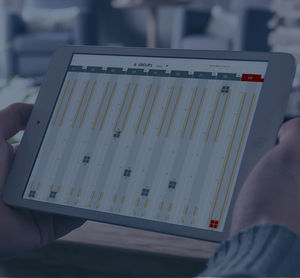
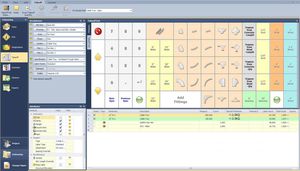
VISUAL PLANNING represents a board containing rows, icons and colours.
To use it : right-click, left-click and drag-and-drop...
Fundamentals:
- Events are created by dragging and dropping icons and colours on the calendar rows,
- Numerous information can be linked with each event : comments, forms, values, documents …
- Specific functions allow to repeat periodical events, paste, cut, copy…
- Automatic links can be made between events,
- Constraints can be used to control the legal or operational use of resources.
Powerful management functions:
- Multiple views of the same planner (e.g. : inverted view,...),
- Numerous filters to sort and select information,
- Statistics and management indicators,
- Selection on multiple criteria (for instance : What type of vehicles will be available in London during two days next week ?).
|
|
The StruM.I.S .NET Fabrication Management System brings the steel fabrication industry up to date with the very latest processing, tracking, planning and reporting facilities. StruM.I.S .NET streamlines the estimating, procurement and fabrication process by providing seamless interaction between departments, suppliers and clients. Advanced .NET technology makes real-time progress reports available anytime and from anywhere around the world.
Available in versions to suit your business, StruM.I.S .NET can be implemented as StruM.I.S .NET Estimating, Fabricator, Advanced and Enterprise. With a version to suit all requirements and corresponding budgets StruM.I.S .NET delivers more functionality and power than ever before.
|
|
|
|
|
|
The StruCad Model Management and Issuing System is a unique new integrated software module, designed and developed by AceCad Software to provide users with a simple and efficient model management system. With advanced features for single and multiple users, powerful issuing facilities and the ability to collaborate via a LAN or the internet, the StruCad Model Management and Issuing System delivers a truly productive solution.
Just some of the benefits and features for users include:
- Applications for both single and multiple users.
- Practical multi-user modelling via LAN, WAN or across the Internet.
- Powerful change detection and management - preventing errors and costly duplication of work.
- Advanced part and whole model issuing features with instant distribution of piece mark data.
- Controlled issuing preparation & management facilities for all production data.
- Administrative & Security features; user rights control at a global or project level.
- Visual model history, providing an audit trail with system rollback facilities.
- Developed using the very latest Microsoft, .NET & SQL technologies.
|
|
|
|
|
|
XATL@S
XAtl@s is a single modular SW application that is scalable in relation to the size of the company and the desired functions, making it possible to create:
• A single-application Access Control systems;
• An integrated security system, including Intrusion Detection and Video Surveillance applications for real-time supervision and monitoring of environment and people.
• A large security and time management system managing hundreds of terminals and doors in a system architecture perfectly compliant with corporate policies in terms of network security and data integrity.
To best fit the different needs of different users XAtl@s is available in three different versions:
C-XAtl@s
It is the “centralized” version. It can manage AXESS TMC Access Control and Time & Attendance terminals working in off-line or on-line mode. In the off-line mode terminals are initially configured by XAtl@s and then the terminals work in a completely autonomous way identifying cardholders, granting or denying access based on the configuration tables received by Xatl@s and storing the transactions in their memory. XAtl@s collects the stored transactions for further analysis or for Time & Attendance purposes.
When the system is in on-line mode and a card is read, the terminal sends a request for authorization to XAtl@s to perform “multi-terminal” controls like global anti pass-back or zone counters. The configuration tables received from XAtl@s are only used in this operating mode when XAtl@s is not accessible by the terminal due to LAN or server failures.
For any further information www.axesstmc.com
|
|
|
|
|
|
System 6000™
Only one solution provides the security of an access audit system, the ultimate in key management flexibility, and superior control throughout your property — System 6000™. This Windows-based system is ready to interface with your existing property management system (PMS) and is completely customizable to best suit your property's specific needs. Delivering tomorrow's security solutions today, System 6000 is compatible with all current SAFLOK lock models, such as MT™, Confidant MT®, ädes?®, and the Quantum™ series.
Features and Benefits
Numerous username and password protection levels available
- management, security personnel, front desk personnel, etc.
- Expedient lost/stolen key cancellation and replacement
- Keycard programmability customized to each user's access authorization
- Integrates with point-of-sale (POS) and other third-party applications
- Provides detailed system-use reports, including:
- Key-making transactions
- Key user/group authorizations
- Keys issued reports
System Requirements
System 6000™ software installs on any Windows-based PC and does not require separate client/server software. Simply insert the installation CD-ROM and follow the prompts. System 6000 also uses industry standard TCP/IP network protocol, allowing properties to plug into their existing Ethernet networks. Additional property network and equipment requirements and recommendations can be referenced on the SAFLOK System 6000 property network diagram document included with the Property Installation Kit.
|
|
|
SAFLOK Messenger™ is a bi-directional wireless communication network. It converts stand-alone, battery-operated door locks into a communication device (to and from the lock), to a designated server to streamline security procedures and maximize staff efficiency. It is an ideal link for sending and receiving real-time messages. With a broad range of functionality, Messenger expedites the check-in process, enhances guest convenience, reduces expenses, and conserves staff time.
|
|
bocad-PS integrates project processes from preliminary planning to erection. All modules such as nestings or delivery notes are based onto a unique object oriented data base (objectivity). This concept ensures the integrity and the uniqueness of all the information.
Each item (project, assembly, physical part, transport means, bar, worker, …) inside bocad-PS possesses a Unique Identifier giving the possibility to associate any user defined information.
bocad-PS is homogeneous to bocad-3D where all geometrical information is imported from (weldings, contour markings, assemblies, fastenings, …).
bocad-PS is composed of a basic module used in combination of a set of optional and independent modules allowing a full integration inside an already existing workshop management.
|
|
|
|
|
|
Scia Steel is modular software offering speed, quality as well as an important control of the manufacturing and execution process to the steel constructor. The core of the system is made of the parts list (abbreviation B.O.M. for "Bill of Materials") and of the geometrical data on this parts list. The parameter setting of Scia Steel guarantees that this data-processing solution is appropriate for each organisation. Moreover, the modular approach allows an optimal adaptation to any modification with regard to the structure of the company. Many steel constructors already changed to CAD and the use of CNC machines. Scia Steel is the logical link between CAD and CNC for all work preparation with respect to treatment and transfer of seized data to related systems.
In short, the software range makes it possible to carry out the following tasks:
- List of materials
- Stock management and use of materials
- Production control (cutting, painting etc..)
- Logistic (site, delivery..)
- Planning of the resources, of the production
- Steering of CNC machines starting from above given data
- Graphical management and visualisation (DSTV)
|
|
|
Poor communication between organizations is the root cause of many problems throughout the building lifecycle and has the greatest impact on cost, schedule, scope, and quality. By connecting information, people, and processes across the lifecycle of your project, Autodesk Collaborative Project Management, delivered on-demand, streamlines communication and business processes across project teams to ensure the successful execution of your projects and programs.
|
|
|
|
|
|
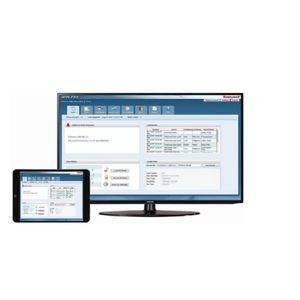
The Johnson Controls P2000 security management system is the ideal solution for medium-to large-scale security needs. As your security requirements grow, your P2000 system can easily grow with you by adding badges, readers and workstations. Johnson Controls provides regular upgrades featuring new enhancements at minimal costs. The P2000 system can be seamlessly integrated into a Metasys® building management system if that’s what you require. Plus, with legacy and retrofit support from Johnson Controls, you’ll maximize your existing hardware investment.
The P2000 system provides an effective foundation for mission-critical security needs. Operators can perform functions easily – the system is based on the Microsoft® Windows® Server 2003 operating system. An underlying Microsoft SQL 2000 or 2005 database engine offers high performance without high overhead. And with the enhanced graphical user interface (GUI), the system operator can access an interactive, real time facility map, featuring dynamic icons, to monitor and control major facility systems and functions.
|
|
- LDB Locking Data Base software for the programming system components, standalone version.
- If the SmartCD is being used with a laptop or desktop, then the PRO.SW locking plan software must be used.
- If a Dell organiser is also being used, then the PRO.SW.SMART user interface will also be required in addition to the PRO.SW locking plan software.
|
|
|
|
|
|
Locking-System-Management-Software - databank-based, multi-user and client compatible - the modular software for access management and building automation.
The new functions of version 2.2, presented at Security in Essen:
- New reports
- Automatic data volume optimisation
- Escrow system and building structures
- Filter, search and sort in matrix view
- Export and import data from Microsoft Mobile PDAs
- Import data from text files
- Import people from Windows LDAP
- New network tasks and other tasks
- The database engine: LSM is based on a well-established database server which is easy to install and produces no additional administrative work. It guarantees data security and the stability and performance of the programme.
- Communications nodes form the link with existing programming devices and to LON or WaveNet Networks. They handle tasks and events.
- The user application with its graphical user interface (GUI) is installed on all the clients. The GUI allows the structures of the locking plan to be displayed and edited in various modes – compressed, or in detail.
|
|
- Remote surveillance of a large-scale system from a local PC
- Up to 256 DVRs and 8 PCs can be connected at once
- Simultaneous access of up to 8 users
- Settings for connected DVRs and cameras can be easily set and changed at the PC
|
|
|
|
|
|
XATL@S
XAtl@s is a single modular SW application that is scalable in relation to the size of the company and the desired functions, making it possible to create:
• A single-application Access Control systems;
• An integrated security system, including Intrusion Detection and Video Surveillance applications for real-time supervision and monitoring of environment and people.
• A large security and time management system managing hundreds of terminals and doors in a system architecture perfectly compliant with corporate policies in terms of network security and data integrity.
To best fit the different needs of different users XAtl@s is available in three different versions:
C-XAtl@s
It is the “centralized” version. It can manage AXESS TMC Access Control and Time & Attendance terminals working in off-line or on-line mode. In the off-line mode terminals are initially configured by XAtl@s and then the terminals work in a completely autonomous way identifying cardholders, granting or denying access based on the configuration tables received by Xatl@s and storing the transactions in their memory. XAtl@s collects the stored transactions for further analysis or for Time & Attendance purposes.
When the system is in on-line mode and a card is read, the terminal sends a request for authorization to XAtl@s to perform “multi-terminal” controls like global anti pass-back or zone counters. The configuration tables received from XAtl@s are only used in this operating mode when XAtl@s is not accessible by the terminal due to LAN or server failures.
For any further information www.axesstmc.com
|
|
|
|
|
|
System 6000™
Only one solution provides the security of an access audit system, the ultimate in key management flexibility, and superior control throughout your property — System 6000™. This Windows-based system is ready to interface with your existing property management system (PMS) and is completely customizable to best suit your property's specific needs. Delivering tomorrow's security solutions today, System 6000 is compatible with all current SAFLOK lock models, such as MT™, Confidant MT®, ädes?®, and the Quantum™ series.
Features and Benefits
Numerous username and password protection levels available
- management, security personnel, front desk personnel, etc.
- Expedient lost/stolen key cancellation and replacement
- Keycard programmability customized to each user's access authorization
- Integrates with point-of-sale (POS) and other third-party applications
- Provides detailed system-use reports, including:
- Key-making transactions
- Key user/group authorizations
- Keys issued reports
System Requirements
System 6000™ software installs on any Windows-based PC and does not require separate client/server software. Simply insert the installation CD-ROM and follow the prompts. System 6000 also uses industry standard TCP/IP network protocol, allowing properties to plug into their existing Ethernet networks. Additional property network and equipment requirements and recommendations can be referenced on the SAFLOK System 6000 property network diagram document included with the Property Installation Kit.
|
|
|
SAFLOK Messenger™ is a bi-directional wireless communication network. It converts stand-alone, battery-operated door locks into a communication device (to and from the lock), to a designated server to streamline security procedures and maximize staff efficiency. It is an ideal link for sending and receiving real-time messages. With a broad range of functionality, Messenger expedites the check-in process, enhances guest convenience, reduces expenses, and conserves staff time.
|
|
|
|
|
|
The Johnson Controls P2000 security management system is the ideal solution for medium-to large-scale security needs. As your security requirements grow, your P2000 system can easily grow with you by adding badges, readers and workstations. Johnson Controls provides regular upgrades featuring new enhancements at minimal costs. The P2000 system can be seamlessly integrated into a Metasys® building management system if that’s what you require. Plus, with legacy and retrofit support from Johnson Controls, you’ll maximize your existing hardware investment.
The P2000 system provides an effective foundation for mission-critical security needs. Operators can perform functions easily – the system is based on the Microsoft® Windows® Server 2003 operating system. An underlying Microsoft SQL 2000 or 2005 database engine offers high performance without high overhead. And with the enhanced graphical user interface (GUI), the system operator can access an interactive, real time facility map, featuring dynamic icons, to monitor and control major facility systems and functions.
|
|
- LDB Locking Data Base software for the programming system components, standalone version.
- If the SmartCD is being used with a laptop or desktop, then the PRO.SW locking plan software must be used.
- If a Dell organiser is also being used, then the PRO.SW.SMART user interface will also be required in addition to the PRO.SW locking plan software.
|
|
|
|
|
|
Locking-System-Management-Software - databank-based, multi-user and client compatible - the modular software for access management and building automation.
The new functions of version 2.2, presented at Security in Essen:
- New reports
- Automatic data volume optimisation
- Escrow system and building structures
- Filter, search and sort in matrix view
- Export and import data from Microsoft Mobile PDAs
- Import data from text files
- Import people from Windows LDAP
- New network tasks and other tasks
- The database engine: LSM is based on a well-established database server which is easy to install and produces no additional administrative work. It guarantees data security and the stability and performance of the programme.
- Communications nodes form the link with existing programming devices and to LON or WaveNet Networks. They handle tasks and events.
- The user application with its graphical user interface (GUI) is installed on all the clients. The GUI allows the structures of the locking plan to be displayed and edited in various modes – compressed, or in detail.
|
|
- Remote surveillance of a large-scale system from a local PC
- Up to 256 DVRs and 8 PCs can be connected at once
- Simultaneous access of up to 8 users
- Settings for connected DVRs and cameras can be easily set and changed at the PC
|
|
Improved operation with Supervison Control and Data Aquisition systems
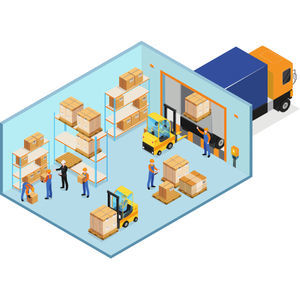
To support our customer in their operations we have developed monitoring systems to check data points at sectional doors & docking systems via OPC server.
Theses systems are daily improving the efficiency of customers in the Logistics, Retail and manufacturing industry.
|
|
|
|