|
|
|
|
|
|
The CAD software intended for all the professionals who wish to communicate their projects in 3D: Architects, (drafts and preliminary design of projects), interior designers, decorators, developers and designers of exhibition stands, carpenters, urban designers, etc...
* Using Premium 3 will enable you to...
* Benefit from all the know-how and functionalities of ARC+ in 3D: full modeler, with polygons, solids, Boolean operations, visualization in hidden lines, shaded or shadowed surfaces, textures displaying in real time, cross sections, extraction on demand of the 3D view to a 2D drawing...
* Use all functionalities for producing easily a 2D plan starting from the 3D model: lines, curves, associative hatches, dimension lines, True-Type fonts, filling of shapes with colors or patterns for the zoning plans, etc...
* Benefit from the working environment of ARC+: multi windowing, online help, flexibility of working methods, modification of entities with a simple mouse click, layers management, selection of entities by type, colors, or by layer, placed objects management, batch mode for the automatic execution of commands, drawing sheet generator (DSG), etc...
* Use the same file format as of the full ARC+: any 3D model produced with Premium 3 model can be elaborated in the full ARC+...
* Migrate very easily to the full ARC+, just by upgrading the license.
* Produce photo realistic renderings or animations with the option: ARC+ Render PRO
* Have a full compatiblity with AutoCAD and the other CAD software using a DWG or DXF interface.
|
|
The CAD software intended for all the professionals who wish to communicate their projects in 3D: Architects, (drafts and preliminary design of projects), interior designers, decorators, developers and designers of exhibition stands, carpenters, urban designers, etc...
Features
* Rendering
High quality, photo-realistic images with accurate reflections, refraction, transparency, shadows and textures. Needs to visualize and communicate a design idea? ARC+ Render uses variety of advanced rendering technologies to create stunning photo-realistic images.
* Animation
Be your own video director - choose camera angles and create photo-realistic walk-throughs and fly-bys animation in your 3D designs.
* Virtual Reality
Allow your clients to become immersed in panoramas. Panoramic rendering enable viewers to look around "inside" your 3D designs. ARC+ Render lets you create interactive panoramas and panoramic objects from your 3D models.
|
|
|
|
|
|
Work with complete peace of mind thanks to custom-made software for ARCHITECTS and Designers.
Pioneer on the architectural, design and landscape design CAD market since the 1980s, ARC+ is currently used by more than 30,000 professionals worldwide.
The success of ARC+ is due to the philosophy of its developers, intending to offer a tool that would efficiently enable users' needs to "go straight to the point"
ARC+ is a real Solid Modeller; users can craft models with total design freedom, simultaneously in 2D and 3D or in 2D only.
ARC+ 2009 EDITION allows users to handle all project phases from initial sketches to execution plans with no limits on shape or size.
Easy to learn and use, ARC+ offers a playful, intuitive approach to the design project.
A true "multi-path" application, ARC+ adapts to each user's own method and different kinds of projects.
With ARC+, to design is to produce: the software propagates even the tiniest modifications throughout the project and allows users to create perfectly accurate execution documents.
In addition, ARC+ is marketed worldwide by approved tutoring centres run by architects and IT specialists who provide support at all stages of implementation and development.
These same professionals can also advise you in your choices and provide top-notch training.
|
|
A complete tool for a creative technician. No limits for objects and space creation.
The assembly module and the archives of Kitchens, Bathrooms, Living-rooms, bedrooms, sitting-rooms, halls and Offices with more than 10.000 graphic elements enables the user to create every living space.
This version allows also the creation and management of every cabinet structure. It comprehends all standard CAD commands to create bidimensional and threedimensional objects, 3D specific functions for a fast creation of furniture pieces, management of cabinet structures of any type, specific functions to obtain shaped, sloped, warp cabinet structures, complete management of colours, texture and effects, printing with Free Hand effect and a high quality render for a high level photorealistic effect.
|
|
|
|
|
|
3D conception & construction software for architects
ABISPLAN 3D frees you from the constraints of the preliminary 2D plan by allowing you to realize your ideas in 3D straight away. From here they can also be corrected, modified… etc. ABISPLAN3D is then able to produce plans, sections and elevations for ABISPLAN2D, where the information for a specific plan (dimensions, areas, texts) can then be added without errors, but with great rapidity.
Modeling with ABIS 3D allows you to work in a 'real' (virtual) setting, from the first tracing of a line. 3D means constant control of forms, proportions and relations.
Drawing and editing can be executed in all possible perspective views. You are not limited to the Top view, for example, as in many other 3D software programs.
Your work is carried in a graphical and non-analytical way.
ABIS3D is the ideal tool for all construction types (timber, steel…etc) and does much more than create a standardized architecture.
Intelligent switching:
At any desired moment, it is possible to make an easy switch from 3D to 2D or vice versa.
|
|
Structure in Workflow
You want the competitive advantage of building structural part 2D and 3D modeling. With ARCHline, migration is easy. Get all the latest ARCHline functionality, while adding the competitive advantage that comes with automatically coordinated building documents. Prepare design proposals with ARCHline and finish construction documents with ARCHline. Accelerate decision making with ARCHline in the design phase, and then enhance details with the same product.
Optimize your Workflow
You also can use ARCHline to minimize tedious updating tasks and costly coordination errors. Simply move your focus on your staff for getting *in* the software power of ARCHline by professional Choaching. This means optimized workflow and shorter production times, better and faster decision making, and the ability to win more work through the fast visualization of your offered design options.
|
|
In general ARCHline Student offers all functions like ARCHline Professional.
Exeptions:
- DXF/DWG IM-/Export
- printing with text at the borders
Commerzial usage is not allowed!
|
|
Hand Drawn Effects for ArchiCAD Drawings
ArchiSketchy is an extension that uses API (Application Programming Interface) technology to add new functionality to ArchiCAD.
|
|
TurboCAD Pro 16 Architectural Edition is a premium solution for design experts, with added tools tailored to ease design for architects, builders, and civil engineers. Built on the complete 2D drafting and 3D surface and solid modeling toolset of TurboCAD Pro, it includes many of the most advanced technologies in the industry—ACIS® solid modeling, D-Cubed constraints, and Lightworks® photorealistic rendering.
* Surfaces and ACIS® solid modeling
* D-Cubed constraints
* Lightworks® photorealistic rendering
* Powerful Drafting Palette & Part Tree
* Advanced architectural design tools
|
|
|
|
|
|
urboCAD® 16 Deluxe 2D/3D gives you unlimited design options. Packed with hundreds of professional drafting tools, incredible file support, video and interactive tutorials, photorealistic rendering and millions of symbols, TurboCAD Deluxe delivers everything you need. Create presentation-ready home plans, technical drawings, mechanical designs, artistic illustrations, crafts, school projects and more. TurboCAD's LightWorks® photorealistic rendering allows you to create stunning, life-like visualizations of your designs. Previous CAD experience is not required. TurboCAD Deluxe is backed by an extensive support network of user forums, newsletters, training materials and online resources. TurboCAD Deluxe is the smart choice for consumers looking for a high-quality, all purpose CAD application.
Perfect For
Architects, Engineers, Hobbyists, Contractors, Builders, Designers, Illustrators, Students, Educators, Graphics Designers
System Requirements
In order to run TurboCAD® 16 Deluxe 2D/3D, your system must include the following -
|
|
|
|
|
|
hsbCAD LT is a low budget CAD-solution with high end features for any designer who uses Autocad or Autodesk Architectural Desktop. It is designed for Architects and CAD planners without having direct need of production output.
hsbCAD LT is the design module for architects and designers, working with the prefabricated building industry and Offsite Construction which is integrated with the leading CAD platform today worldwide, AutoCAD. AutoCAD, a member of the Autodesk group, has over 5 million official licenses worldwide and are the market leaders for CAD design software. Functions such as move, copy, rotate and mirror are only a matter of course. AutoCAD is today integrated into many schools and unniversities and is fast becoming a technical knowledge condition in gaining employment. Architectural Desktop (ADT), a family extension of AutoCAD, and contains additonal functionality for concept design, architectural and planning design. hsbCAD LT is compatiable with AutoCAD and ADT, as a design platform that utilises all these familiar tools to make an easy and recognisable platform in any design discipline.
Target Group for hsbCAD LT
- Architects and CAD Designers
- Non Manufacturing Designers
|
|
|
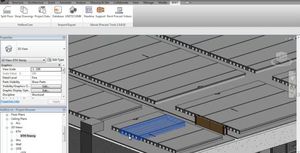
Autodesk® Revit® Architecture software helps you explore early design concepts and forms, and more accurately maintain your vision through design, documentation, and construction. Make a change, and it's automatically updated across the project. Use the essential building information modeling (BIM) data that Autodesk Revit Architecture software provides to support sustainable design, clash detection, construction planning, and fabrication.
|
|
|
|
|
|
AutoCAD® Architecture software, the version of AutoCAD® software created for architects, supports a faster way of working. Purpose-built features for architectural design and drafting help you create construction documents more efficiently within the familiar AutoCAD environment.
With AutoCAD Architecture, you can:
Experience a sleek new user interface that offers optimized desktop organization, a larger drawing window, and quicker access to tools and commands.
Document and annotate faster with the robust library of detail components and powerful keynoting tools.
Draw and document using walls, doors, and windows that mimic real-world behavior and construction.
Automatically tag every room in your drawing, complete with room areas. Spaces update automatically if the bounding elements are changed.
Automatically generate 2D sections and elevations with material hatching, directly from your floor plans.
Easily customize the appearance of out-of-the-box schedule styles to meet your company's standards, or create new schedules from scratch, complete with your required calculations.
|
|
|
D-CAD L is based on the commercial D-CAD Pro product. If you start a new drawing in D-CAD L you have full the 2D CAD functionality you will need for your apprenticeship drawings.Dietrich's decided to offer this powerfull program for free download on the internet. So apprentices in the Wood Construction Industry can make their drawings and still benefit from the features of a CAD program tailored to the needs of carpenters.
|
|
|
|
|
|
ArchiCAD gives users the ability to create great architecture and increase productivity. From day one, ArchiCAD has been designed by architects for architects, and over the years it has gradually become more and more refined to allow its users to better:
Focus on design,
Manage change,
Evaluate design alternatives,
Collaborate,
Coordinate.
ArchiCAD® offers a different approach to your workflow process, which gives you more control over your design, while maintaining accuracy and efficiency in documentation. While you raise walls, lay floors, add doors and windows, build stairs and construct roofs this Building Information Authoring Tool creates a central database of 3D model data. From this you can extract all the information needed to completely describe your design - complete plans, sections and elevations, architectural and construction details, Bills of Quantities window/door/finish schedules, renderings, animations and virtual reality scenes. That means while you're designing, ArchiCAD is creating all the project documentation so there's little repetitive and tedious drafting work. And unlike designing in 2D software, the Virtual Building™ approach also means that you can make changes at any time maintaining the integrity of your documents, without risking costly errors or costing you productivity.
|
|
Perfect in CAD
With its many CAD functions, SEMA offers a universal tool for design, planning application and production drawings. All the special design elements enable useful and fast combinations of 2D and 3D data to create dimensioned floor plans, sections, elevations and detail drawings. Furthermore, graphics files from other programs can easily be imported.
"Live" onto the Drawing
Pre-defined plan layouts with individual titleblocks further enhance your drawings. The printout is 'live' from the 3D object because all changes are immediately automatically updated in all views.
The Virtual World
As realistic as possible is the motto. Already in the design stage, 3D visualization has become an important tool - not only to help customers to 'see' their future building but also for the designer to double check their designs. And the possibilities for editing directly in the visualization view makes work so much easier.
|
|
|
ArTeN LT4D is a graphic software based on the architectural project of new buildings or reconstructions, setting the drawing “Operational Class” also said “yellow and reds” process.
|
|
Good value
Minimal acquisation- and follow-up costs
Fair Updates
One update price, no matter how much versions you skip
No updatebondage
Intuitiv
quick to learn
3D Modelizing in 2D
Kommunikative
AutoCAD DXF/DWF/DWF Import/Export
Render Studio, 3D Studio, Artlantis, Sketchup etc.
Effizient
Up to 50% faster
2D/3D BIM- DWG/DXF compatible All relevant building data
combinate and link
|
|
Rotate ArchiCAD objects in 3D space
With ArchiRotate, arranging objects in 3D space knows no limits. This plug-in, in fact, enables ArchiCAD users to rotate objects in 3D space however they want.
ArchiRotate can convert any library element into a new element (without losing any parameters) which can then be rotated using the ArchiRotate commands in both the map view and 3D window.
|
|
ArchiCAD Plug-in for the Creation, Layout and Calculation of Tiles
The ArchiTiles Plug-in is used for planning, setting and calculating the layout of tiles on surfaces developed with ArchiCAD, such as floors, walls and ceilings.
|
|
ArchiCAD plug-in for surveying interiors
This plug-in provides you with all of the tools necessary for creating as-built surveys within ArchiCAD. Its tools for designing and placing doors and windows allow you to quickly and easily draw an as-built survey and convert it into a 3D model made up of parametric ArchiCAD elements.
|
|
Management of ArchiCAD surface materials
ArchiMaterial improves management of ArchiCAD surface materials, organising them in a user-defined hierarchy, specifying favourites and using the drag-&-drop technique to select and drag a preview of the material to assign it to the required element.
A simple procedure also generates images to create seamless tiling, bump-mapping, transparency effects, etc.
|
|
ArchiCAD Plug-in for Creating Custom Stairs
ArchiStair is an ArchiCAD extension that allows stairs to be created even when the design constraints of the new project or remodel prohibit them from having a regular shape.
With its simple and rapid graphical interface, ArchiStair allows users to create stairs with treads and landings that have customised, creative shapes.
|
|
ArchiCAD Plug-in for Creating Free-form Walls
ArchiWall lets you add “overlaid structures” to regular ArchiCAD walls, allowing simple prismatic blocks to be transformed into multiform architectural elements.
With ArchiWall, users can add free-form accessory elements to normal ArchiCAD walls to create mouldings and other decorations, giving projects a more realistic appearance while maintaining the characteristic simplicity and speed of ArchiCAD.
|
|
ArchiCAD Plug-in for 2D Drawing
ArchiRuler is a highly useful 2D drawing application that allows quick and easy management of the two-dimensional tools needed to create design details and working drawings for the building site. It satisfies the requirement often faced by designers of completing and refining their 3D models with technical and descriptive elements.
|
|
ArchiCAD Plug-in for Creating Spreadsheets, Captions and Graphs
ArchiTabula is a Plug-in that allows tables containing text or numbers to be created or imported into ArchiCAD.
The contents of tables can be displayed in grid form or, if conditions allow, in graphs or diagrams, using a variety of highly customisable formats.
The contents of tables that are created and arranged on the Floor Plan can be updated at any time without losing the formatting.
The elements placed on the Floor Plan are library parts and maintain a dynamic link to their data files. This means that any time the document of origin is modified, the corresponding data is automatically updated in ArchiCAD.
|
|
ArchiCAD Plug-in for Terrain Modelling
A common problem faced by ArchiCAD users is the creation and management of 3D terrain models. The ArchiTerra Plug-in was developed to resolve this problem.
To create a realistic setting, designers often need to contextualise their projects within certain surroundings. This allows the environmental impact of the project to be monitored throughout the planning phase. The need for such functionality may also arise for city planning or landscaping purposes, requiring the creation of more or less vast 3D terrain models.
|
|
ArchiCAD plug-in for designing false ceilings and raised floors
With ArchiPanel, you can design raised floors and false ceilings starting with an ArchiCAD Zone or Fill. To cover an area, you can use panels to create simple or checkered layouts or you can use panel modules for more elaborate arrangements with repeated shapes, sizes and materials.
|
|
ArchiCAD Plug-In for Object Creation
ArchiForma is an extension that uses API (Application Programming Interface) technology to add new functionality to ArchiCAD.
The Plug-in was designed and developed to give ArchiCAD users complete freedom in creating special shapes without having to use GDL scripting.
Designers often need to use complex shapes when drawing 3D representations of architectural details, decorative objects, doors and windows or other solids or surfaces that are difficult to create with the basic primitives available in the ArchiCAD Toolbox.
ArchiForma provides a new series of graphical primitives, commands and functions designed specifically to solve this problem, allowing users the freedom necessary for customising their projects and adding details as desired.
|
|
ArchiCAD Plug-in for Straightening Perspective Images
ArchiFaçade is a Plug-in that allows perspective images (photographs of façades, objects, etc.) to be transformed in order to “straighten” them. Based on the principles of projective geometry, ArchiFaçade uses the appropriate mathematical transformations to remove perspective distortions from an image until a rectified version is generated.
|
|
|
|